Afinador & Metrônomo
I designed and built a chromatic tuner and metronome that install on the phone’s Home Screen, from sitemap to published app.
- Role
- Product Designer · design and development
- Duration
- Oct 2026
- Platform
- PWA (iOS and Android)
- Team
- Personal project
App screens
Captures of the published app, running at iPhone size.
Tuner
The note sits at the center and changes color with the tuning; the offset in cents shows as a number, as text and on the scale.
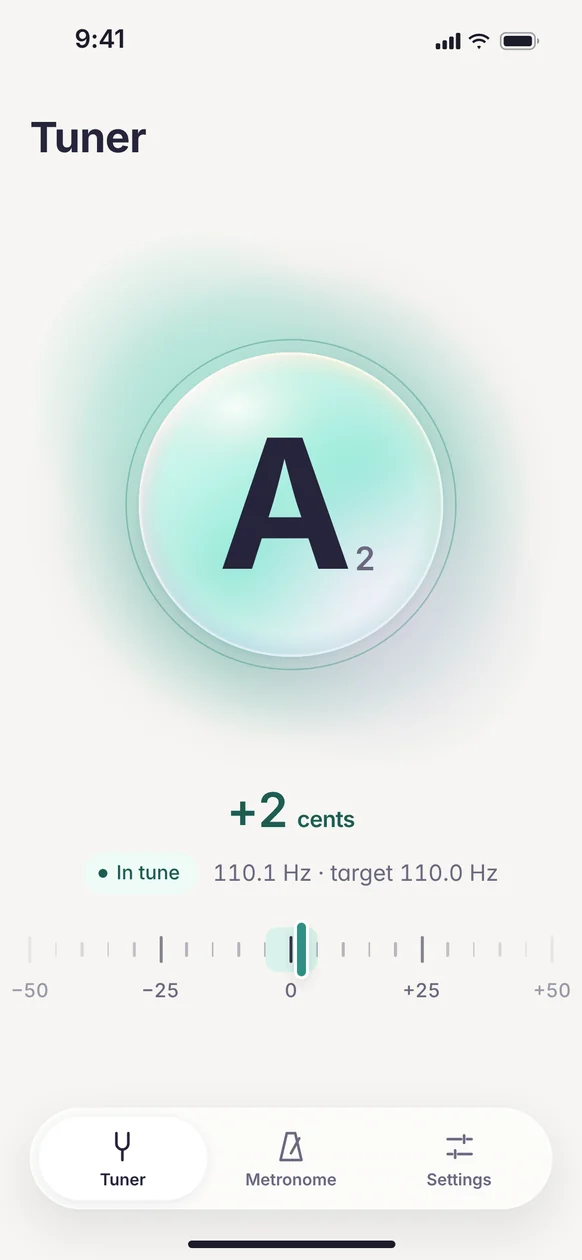
In tune 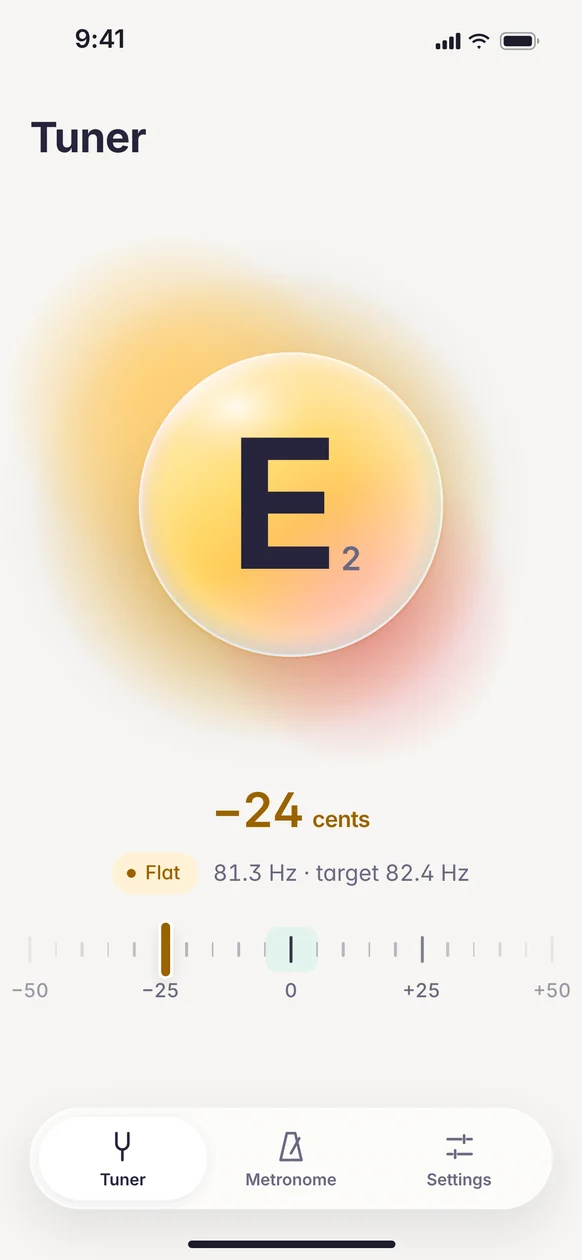
Flat 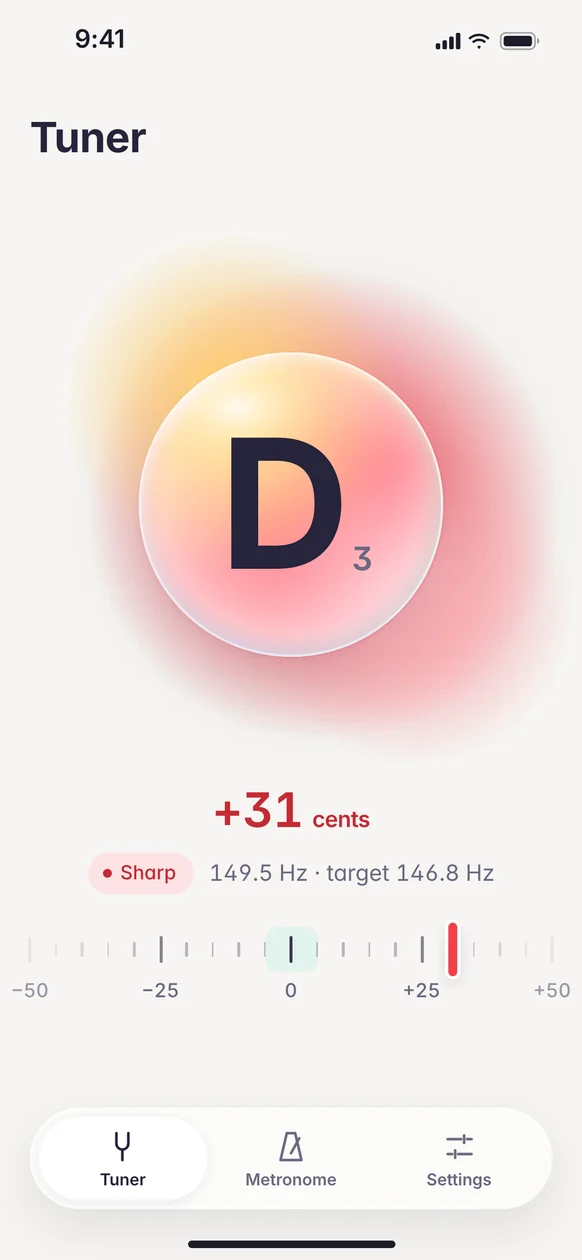
Sharp 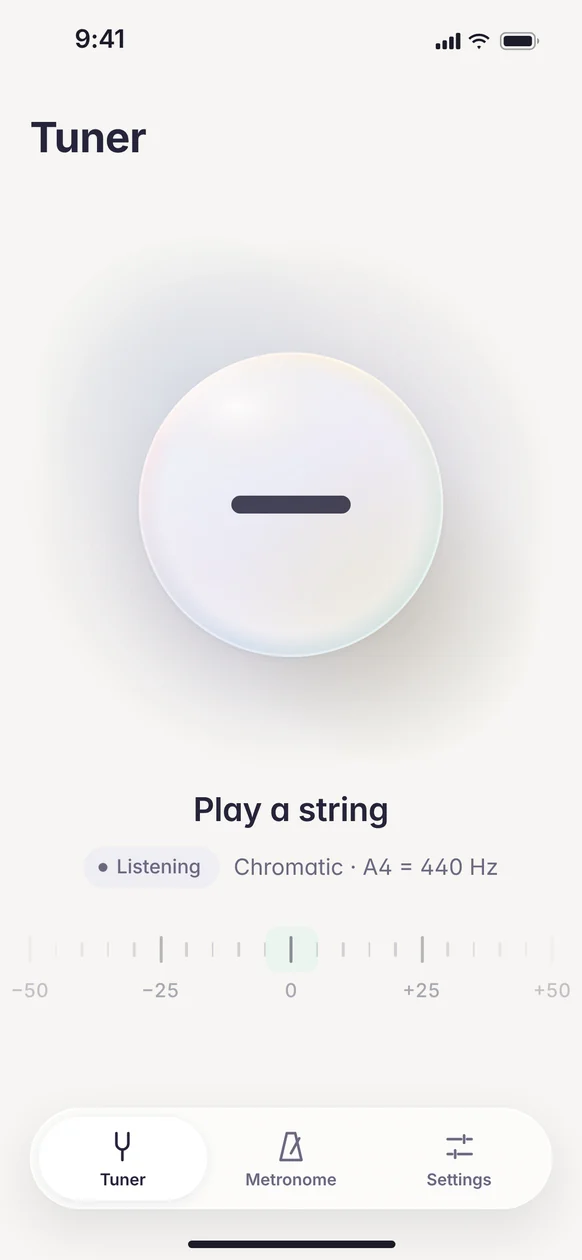
Listening
Metronome
BPM at the center, tappable beats to accent or mute, time signature, subdivision and tap tempo.
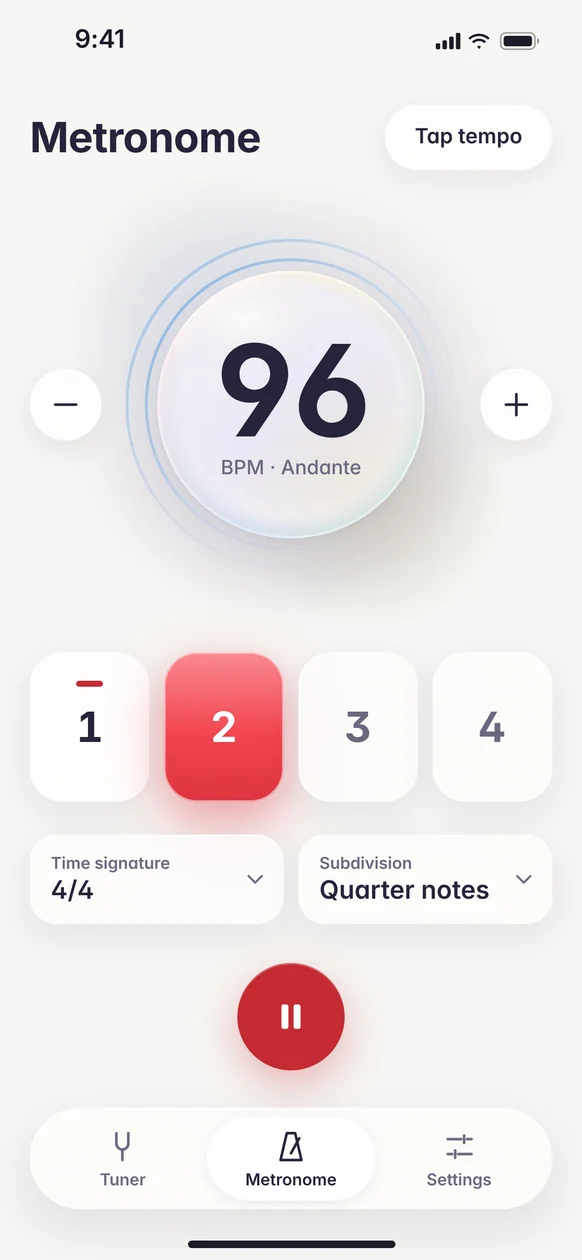
Playing 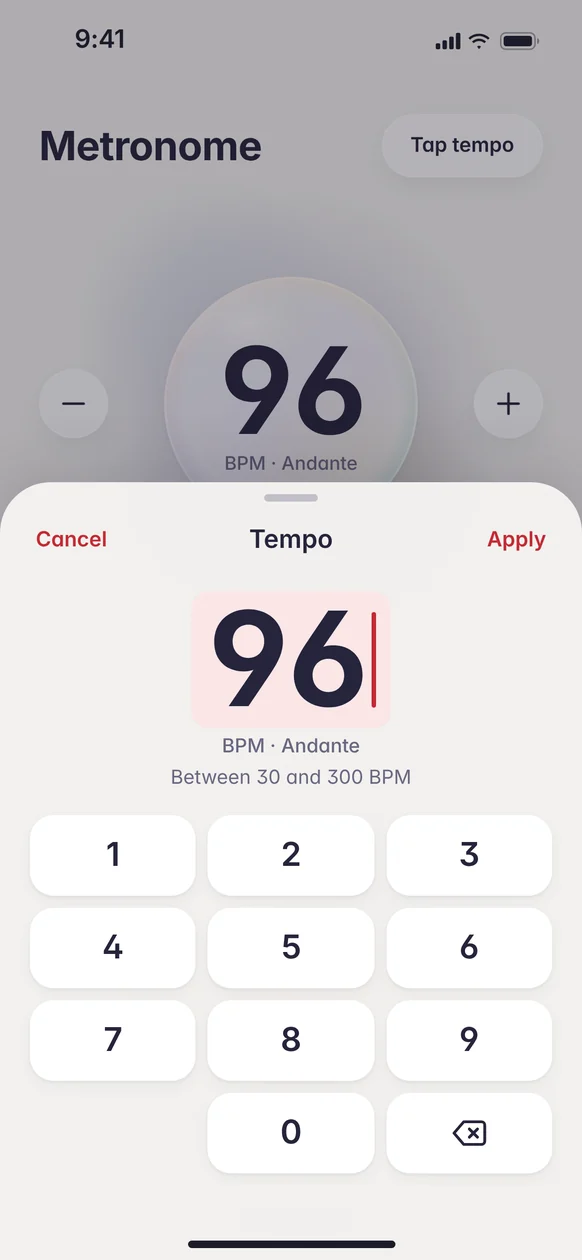
Type BPM 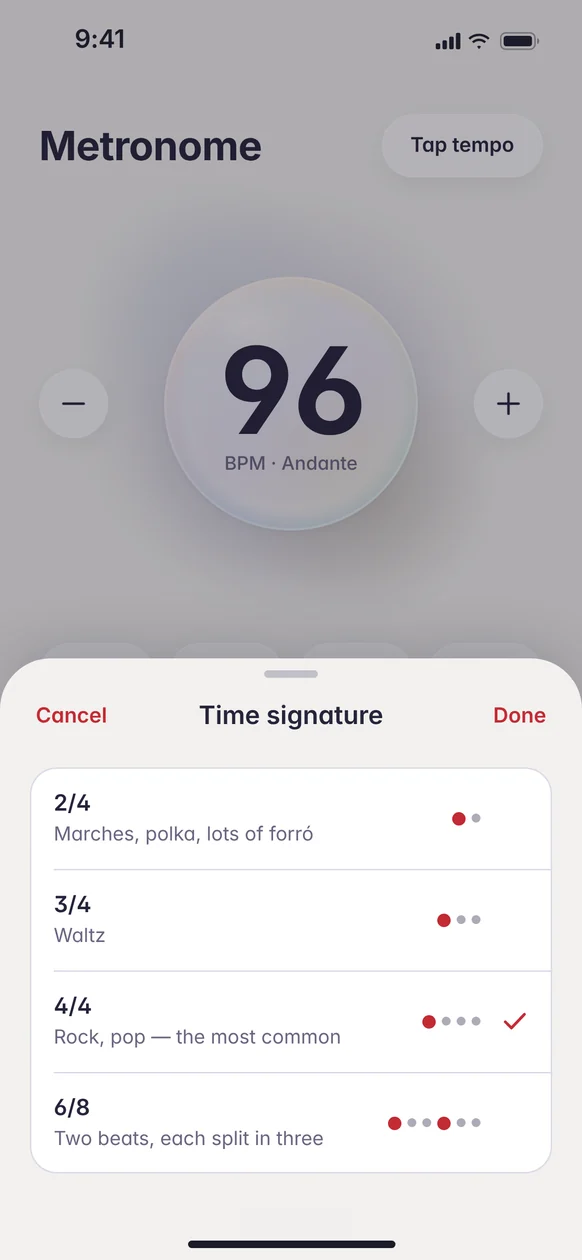
Time signature 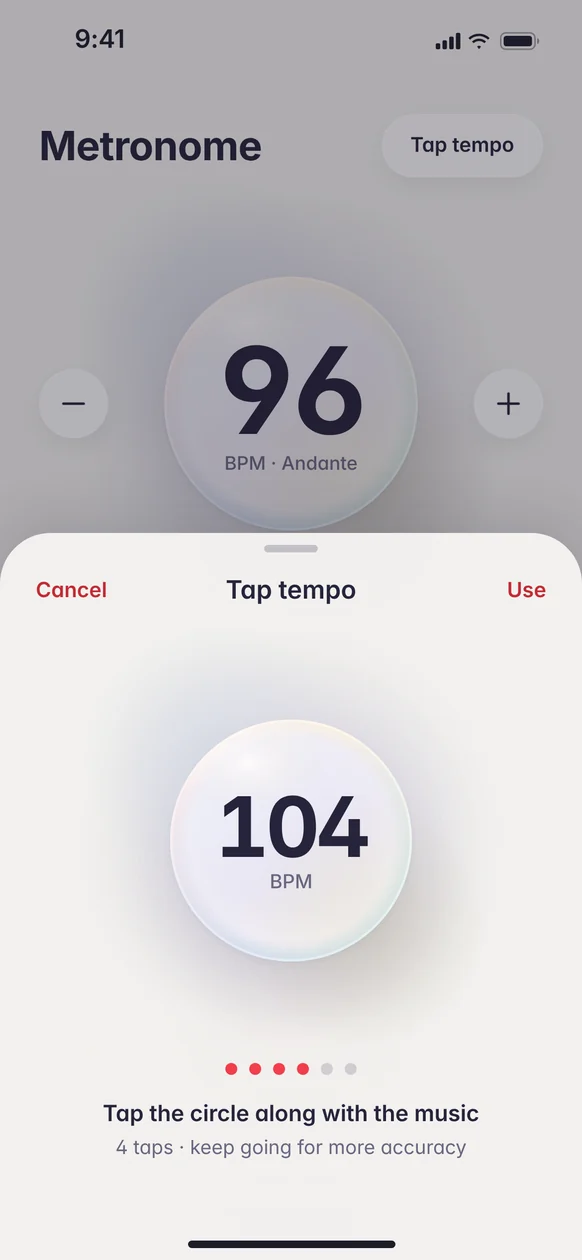
Tap tempo
First use
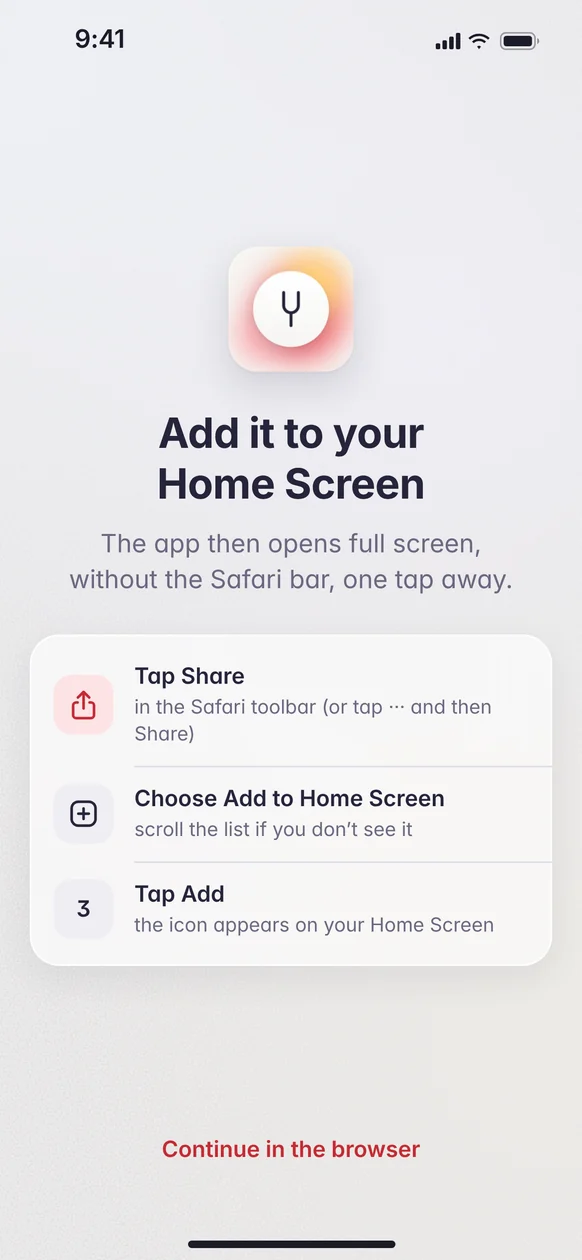
Install steps for each system, and the microphone request explained before the permission prompt.
Install 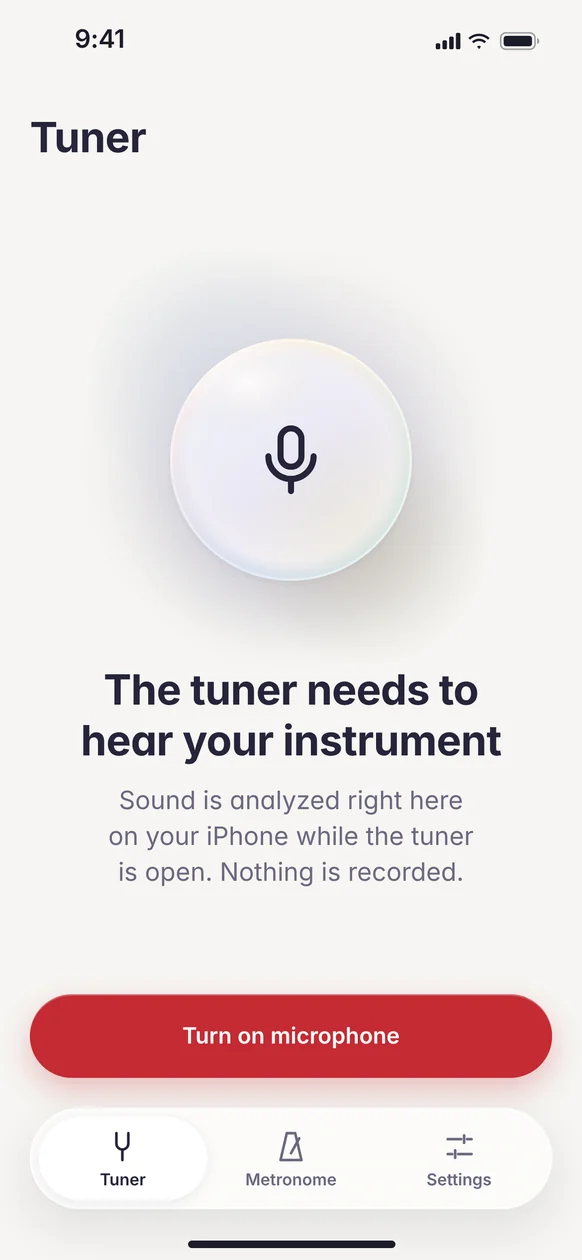
Microphone permission
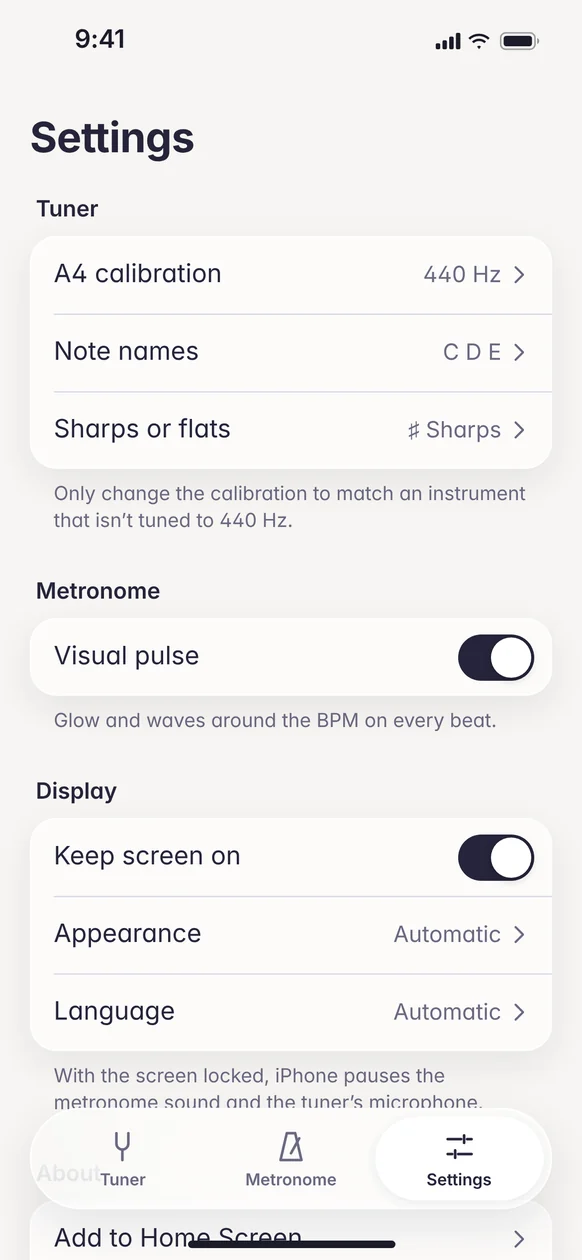
Settings
A4 calibration, note names, keep screen on, appearance and language.
Settings 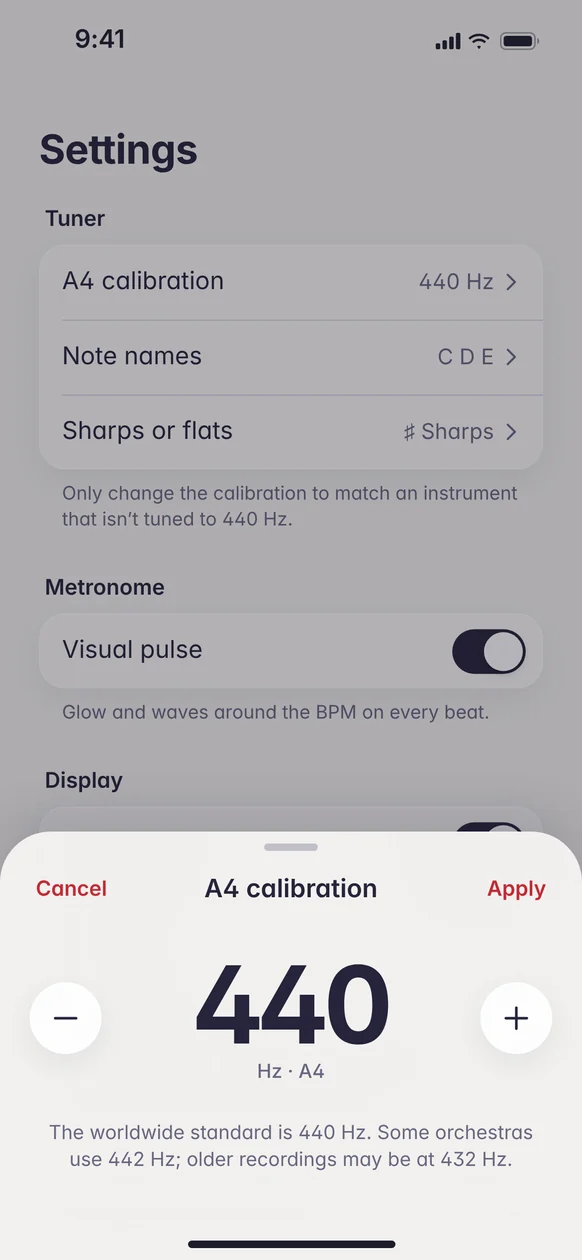
A4 calibration
Challenge
I wanted to understand, hands-on, the whole path of an app: from structure and design system to published code. I picked a tool I use myself to practice music: a tuner with a metronome.
A tuner has to be read at a glance, with the instrument in your hands and the phone out of reach. And as a web app, it depends on the browser’s microphone, which on iPhone, with the app saved to the Home Screen, stopped picking up sound without warning.
Solution
I ran the whole project: sitemap, design system and screens in Figma, development in React, and launch.
From sitemap to design system
I started with a sitemap and a design system in Figma, with color and type tokens and 17 components. The same variables became the app’s CSS.
Read at a glance
I put the note, large, inside an orb that changes color: teal when in tune, amber when flat, coral when sharp. The state also shows in text and on the cents scale, never through color alone.
A precise metronome
I scheduled the beats on the audio clock rather than page timers, so the tempo doesn’t drift. Each beat can be accented or muted with a tap, and tap tempo works out the BPM from the music.
Built for the phone
I ask for the microphone once per session and added a check that restarts capture when iPhone interrupts it. Installation has its own steps for iOS and Android, and the app follows the device language, in English or Portuguese.
Result
I launched the app, which installs on the iPhone and Android Home Screen and opens full screen, like a native app. The project gave me the full picture of the process, from design decisions to how audio behaves on each system.
- sections: tuner, metronome and settings
- 3
- components in Figma
- 17
- languages (English and Portuguese)
- 2
- systems (iOS and Android)
- 2